Video Merge: Easy Video Joiner2.2
Publisher Description
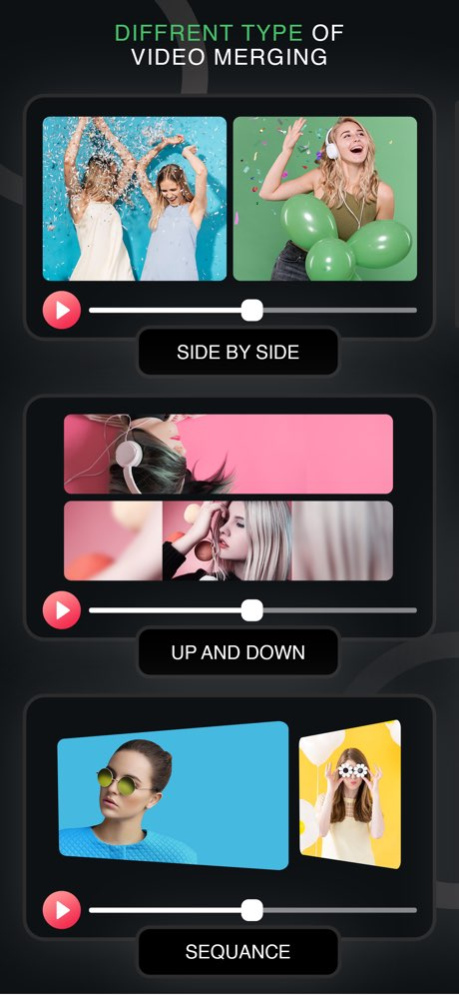


Video Merge is a simple app to merge and join video files into one file. It supports different video formats with different frame rate, same frame size and same audio rate. Video Merge - Side By Side is a unique app which lets you make creative videos. Take two videos and merge them into one video and see them playing side by side.
By using Video Merge you can:
- Video Merge Side by Side: Select two videos and the videos will merge in side by side style.
- Video Merge Up Down: Select two videos and the videos will merge in up down style.
- Video Merge Sequentially: Select two videos and the videos will merge one after one style.
Video Merge works in background and let you do other things while your video is processing.
Video Merge is a very powerful video merging app using which, you can merge or join your favorite videos into a single large video. Use Video Merge to combine 2 videos. This app supports options for merging videos and Join two videos. Share the merged video with your loved ones directly from the app.
Version History - Added new features
- Solved bugs 2.2 06/25/2022 - Added in-app purchase to get ads free app. 2.1 12/09/2021 - Solved Dark/Light Mode related issues. 2.0 11/26/2021 1.0 02/01/2020
About Video Merge: Easy Video Joiner
The company that develops Video Merge: Easy Video Joiner is Nalin Savaliya. The latest version released by its developer is 2.2.
To install Video Merge: Easy Video Joiner on your iOS device, just click the green Continue To App button above to start the installation process. The app is listed on our website since 2026-10-13 and was downloaded 5 times. We have already checked if the download link is safe, however for your own protection we recommend that you scan the downloaded app with your antivirus. Your antivirus may detect the Video Merge: Easy Video Joiner as malware if the download link is broken.
How to install Video Merge: Easy Video Joiner on your iOS device:
- Click on the Continue To App button on our website. This will redirect you to the App Store.
- Once the Video Merge: Easy Video Joiner is shown in the iTunes listing of your iOS device, you can start its download and installation. Tap on the GET button to the right of the app to start downloading it.
- If you are not logged-in the iOS appstore app, you'll be prompted for your your Apple ID and/or password.
- After Video Merge: Easy Video Joiner is downloaded, you'll see an INSTALL button to the right. Tap on it to start the actual installation of the iOS app.
- Once installation is finished you can tap on the OPEN button to start it. Its icon will also be added to your device home screen.
Program Details
System requirements
Download information
Pricing
Version History
version 2.2
posted on 2026-10-13
Version History - Added new features
- Solved bugs 2.2 06/25/2022 - Added in-app purchase to get ads free app. 2.1 12/09/2021 - Solved Dark/Light Mode related issues. 2.0 11/26/2021 1.0 02/01/2020
version 2.2
posted on 2022-06-25
Jun 25, 2022 Version 2.2
- Added new features
- Solved bugs
version 2.2
posted on 2022-06-25
- Added new features
- Solved bugs
version 2.1
posted on 2021-12-09
Dec 9, 2021 Version 2.1
- Added in-app purchase to get ads free app.
